The first question that comes to mind is what it means and why it occurred. Let me tell you that it usually indicates a temperature-related issue with the internal sensor, which may cause the machine to overheat and then fail to maintain or set the temperature. Because of this, even if you use the machine correctly, the error may still appear. If you’ve been dealing with the E5 error and don’t know how to resolve it, find the easiest solutions below.
What Is the E5 Error Code and Why Does It Occur?
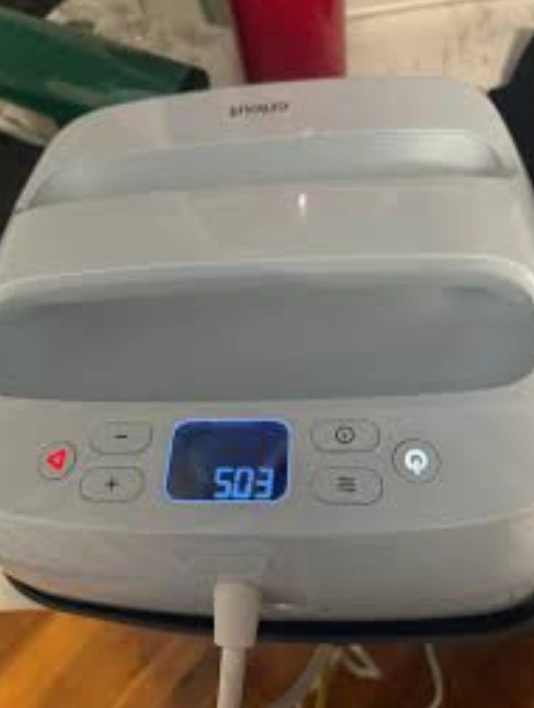
The E5 error code on the Cricut EasyPress indicates a temperature-related problem. The internal temperature sensor may stop working properly, causing unstable heating. As a result, the Cricut EasyPress stops heating and shuts down automatically, displaying the error code.
However, it does not mean that your machine is broken or that you caused the issue. It’s a technical issue that may happen when you use the machine frequently for iron-on projects. It works like a built-in protection system, which prevents serious damage from overheating.
Step 1: Turn Off the Cricut Easypress
Whenever you notice an E5 error code on your EasyPress, turn it off immediately. It will prevent the machine from overheating further.
- Press the power button on the machine to turn it off.
- Remove the machine’s power cord from the wall outlet.
- Allow the machine to cool for 15–30 minutes.
The machine will cool down during this time.
Step 2: Check the Power Source
Sometimes, the power source may be the cause of your heat press overheating. Plug another device into the same power outlet and check if the outlet works properly. Moreover, avoid using extension cords, as they may cause voltage fluctuations.
Step 3: Restart the Machine Properly
Once the machine cools down, restart it using the steps below:
- Plug your EasyPress back into the wall outlet.
- Press its power button to start it.
- Set it to a low temperature and check whether it heats normally.
Wait a few minutes. If the E5 error does not reappear, restart your project. Also, check if the power cord is damaged.
Tips to Prevent E5 Error in the Future
Taking a few precautions may save your Cricut EasyPress machine from the E5 error in the future. To avoid this issue in the future, follow these tips:
- Always use a heat-resistant surface while creating iron-on projects.
- Take small breaks during pressing to allow the machine to cool.
- Plug your heat press directly into the power outlet, not into an extension cord.
Following these tips will help protect your machine from overheating.