All your excitement might have quickly turned into frustration. Everything worked fine the last time you used Design Space, so you’re probably wondering why it’s not responding now.
We have already found reliable solutions for this issue. There’s no need to waste time trying random fixes – just follow the steps below. But first, take a look at the reasons why the Cricut app is not working.
Common Reasons Why Cricut App Isn’t Working
Design Space not opening can be frustrating for crafters like you. Why does that happen? Here are some of the most common reasons for the Cricut app not working:
- The app version is outdated
- Internet connection issues
- Corrupted temporary files or cache
- Not enough system memory/resources
2 Best Fixes for Cricut App Not Working Issue
If your Design Space fails to open or refuses to load designs properly, it’s a common setback. Here are a few tried and tested fixes to resolve the issue:
Method 1: Check for Application Update
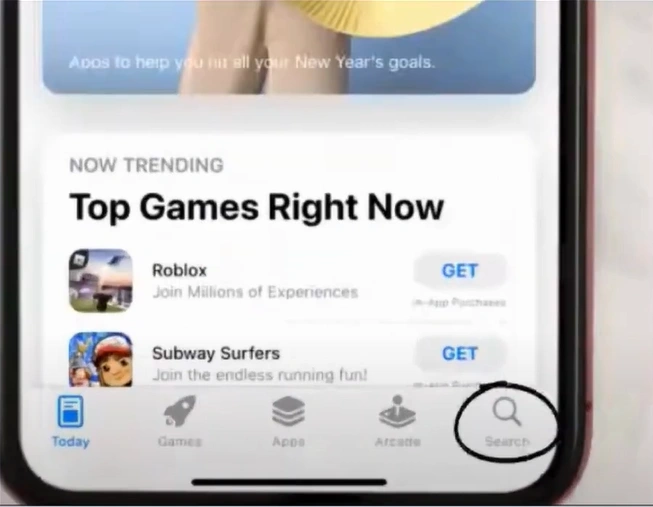
Step 1: Go to your App Store or Play Store and search for Cricut Design Space.
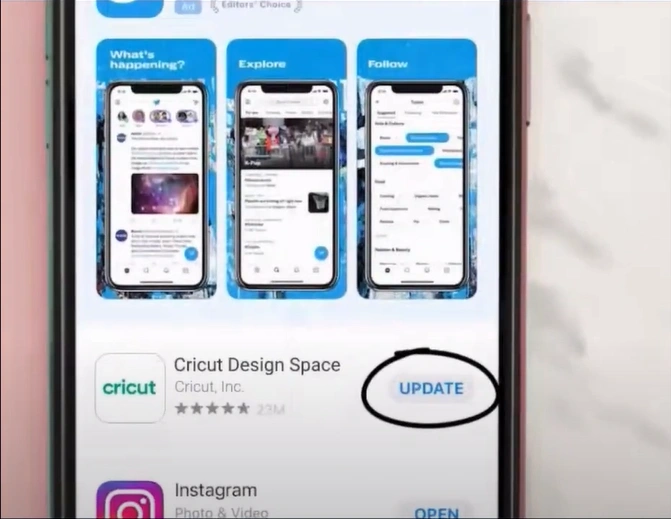
Step 2: Click Update Cricut Design Space version if available.
Method 2: Uninstall and Reinstall Design Space
Step 1: Open your Control Panel and click on “Programs and Features.”
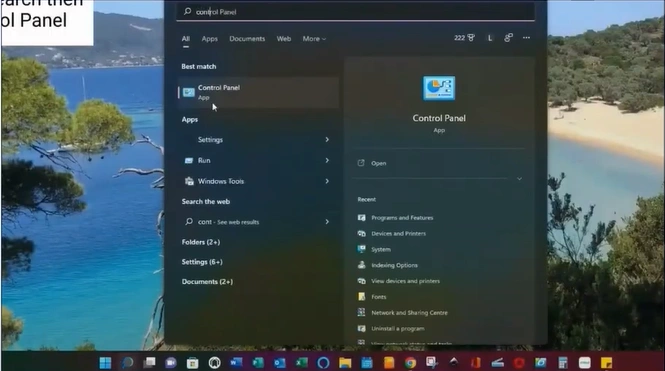
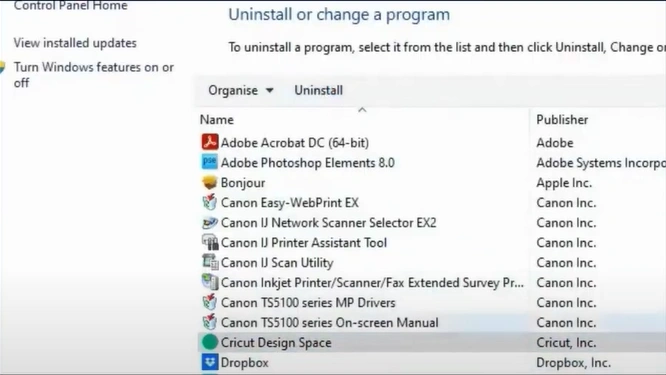
Step 2: Locate and select the Cricut Design Space, then click “Uninstall” in the top bar.
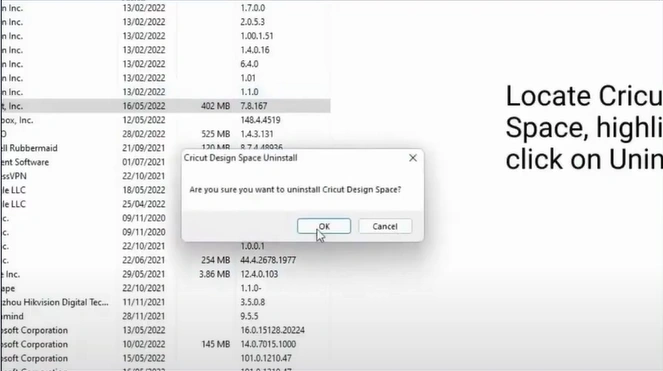
Step 3: Choose OK to uninstall.
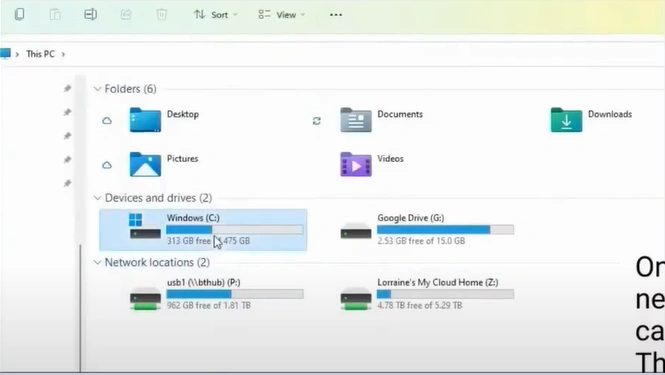
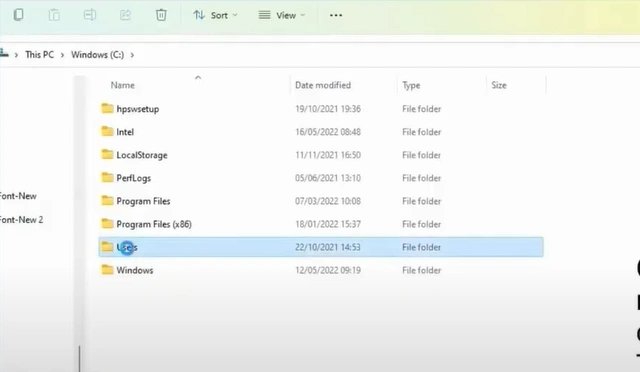
Step 4: Open your File Explorer and navigate to the Windows (C) drive.
Step 5: Navigate to “Users” and open the folder with your username.
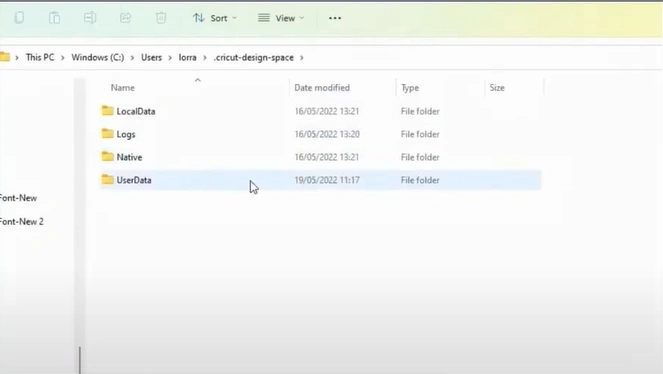
Step 6: Open the “.cricut-design-space” file, then go to the “LocalData” folder.
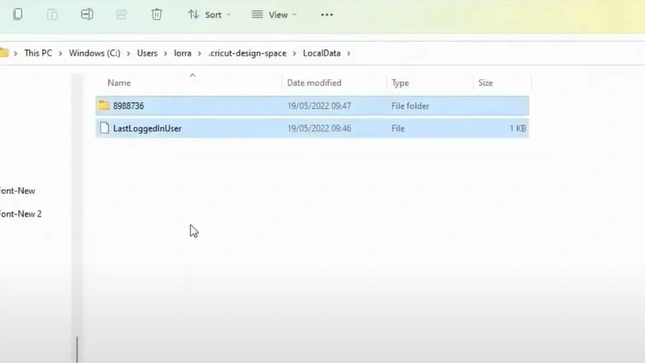
Step 7: Select all contents inside the LocalData folder and delete them. Note: Ensure your projects are saved to the cloud before doing this.
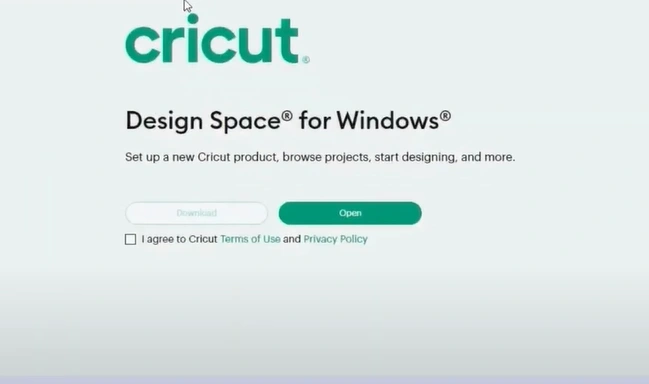
Step 8: Search design.cricut.com in your browser, tick the “I Agree” box, and click on Download.
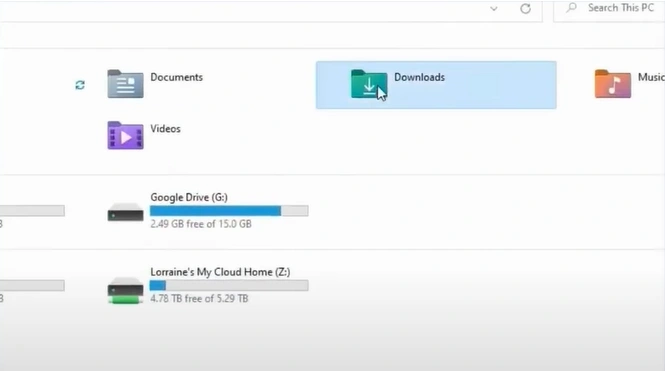
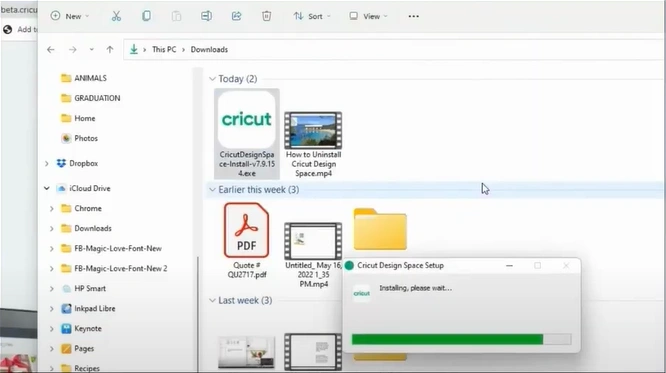
Step 9: After downloading the installer, locate it in File Explorer and run the application.
Step 10: After installation, sign in.
Also Read:- Cricut Firmware Update Not Working [Fixed]
In a Nutshell
As you can see, fixing the Cricut app not working issue is fairly simple. The Cricut app may need to be updated. To do this, go to the App Store or Play Store, search for Design Space in the search bar, and click ‘Update.’ Another way to fix the “Cricut app not working” issue is to uninstall and reinstall the app. Make sure to follow each step carefully so you don’t miss anything important.