For some users, the free images, fonts, and basic tools are sufficient for simple crafts. If you are one of them, you might feel that the premium access isn’t worth it, and it’s time to cancel the plan.
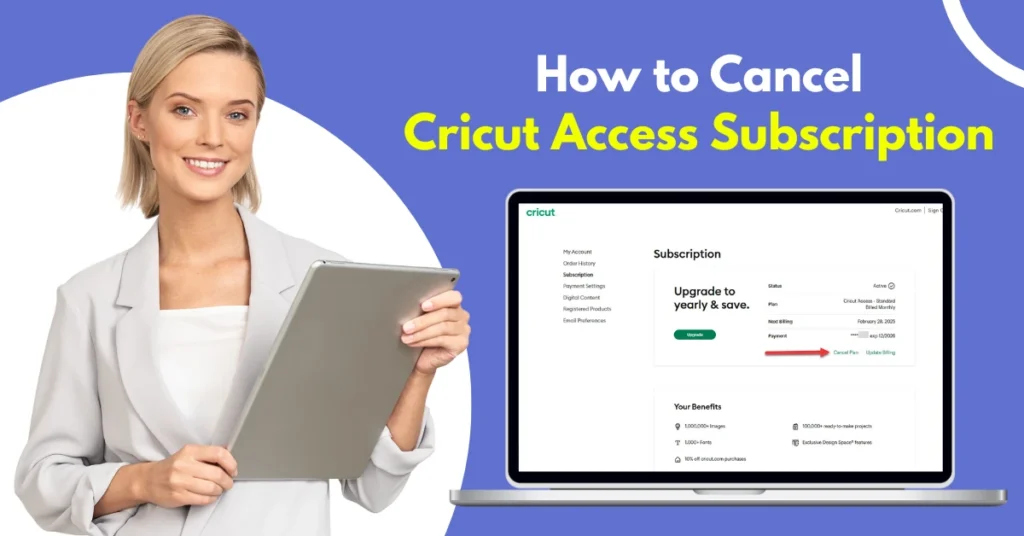
But how do you cancel a Cricut Access subscription? What’s the process? We have explained the right methods to help you end your plan and avoid extra charges. Before we walk you through the steps, take a moment to review the potential issues that might come up. Let’s go!
Common Issues When Canceling a Cricut Access Subscription
It may seem simple to cancel your Cricut Access plan, but certain issues may pop up and hinder the process. These issues can be:
- Unexpected charges even after canceling the subscription
- Loss of access before the billing cycle ends
- Auto-renewal confusion
- Multiple subscriptions linked to different platforms
- Limited support during cancellation
Things to Know Before Canceling Your Cricut Access Subscription
If you are about to cancel your Cricut Access plan, you need first to understand what will happen next. Keep in mind these important things before you start:
Saved Projects Stay, But Some Will Be Locked
Once you are done with the cancellation process, any Cricut Access images or fonts used will be locked or require a separate purchase to edit or cut. But your saved projects in the Design Space will remain on your account.
Premium Fonts and Images Will Be Unavailable
After cancellation, you won’t be able to access the premium images, fonts, and projects included in the membership. These are only accessible when your subscription is active.
Cricut Discounts Will Be Lost
All the Cricut Access subscribers get some discounts on purchases through Cricut’s online store. This can be discounts on fonts, images, and materials. But once you cancel the subscription, you will no longer be eligible for these discounts.
Two Methods to Cancel Cricut Access Subscription
Here are the two quick methods to cancel your Cricut Access plan:
Method 1: From the Website
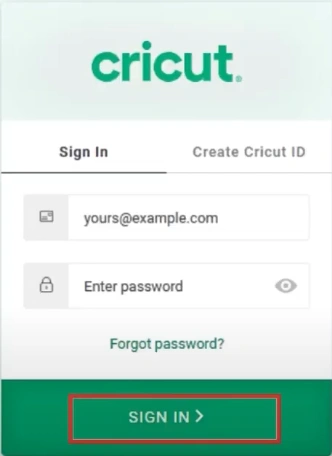
Step 1: First, visit the official Cricut Design Space website and sign in to your account.
Step 2: Select Subscription on the left panel.
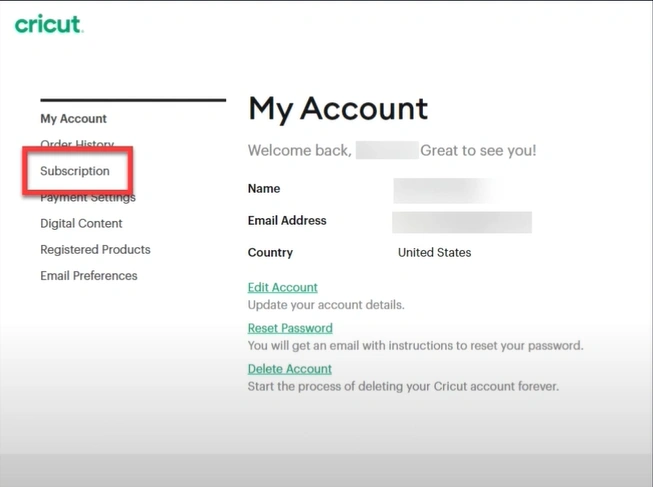
Step 3: Click Cancel.
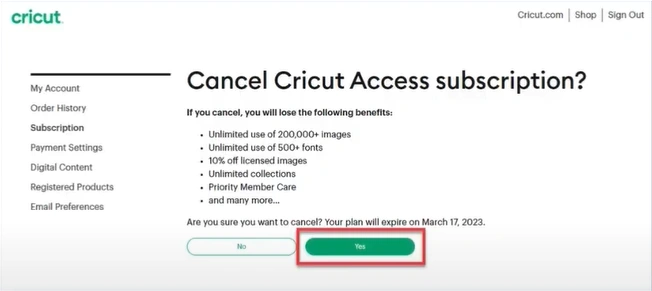
Step 4: Click Yes to confirm. Your subscription will remain active until the current billing cycle ends.
Method 2: On an iOS Device
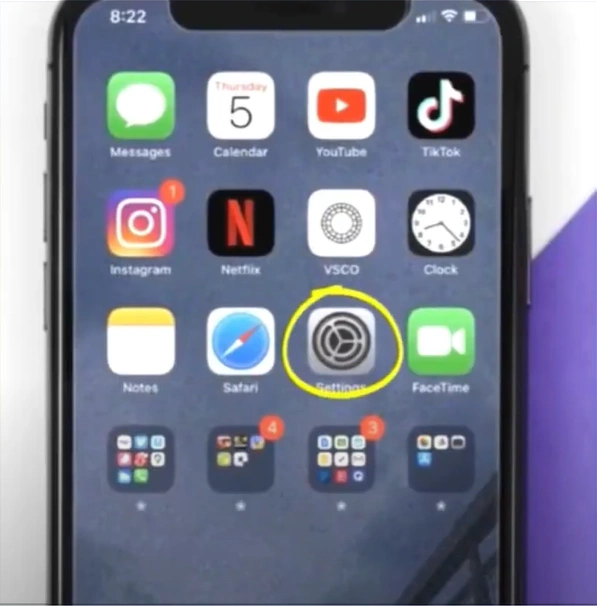
Step 1: Go to Settings and tap on your Apple ID at the top of the screen.
Step 2: Tap Subscriptions and wait for it to load.
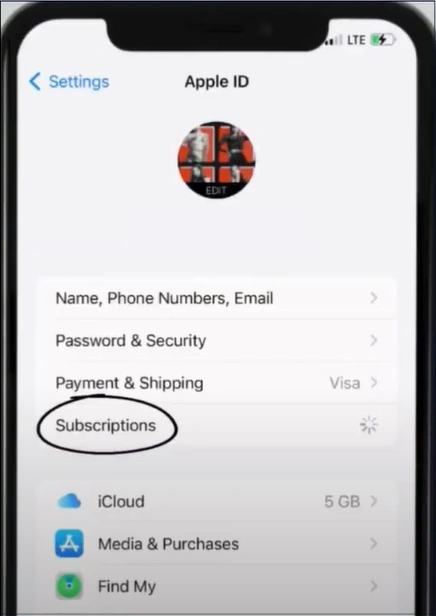
Step 3: Select Cricut Design and tap Cancel Subscription.
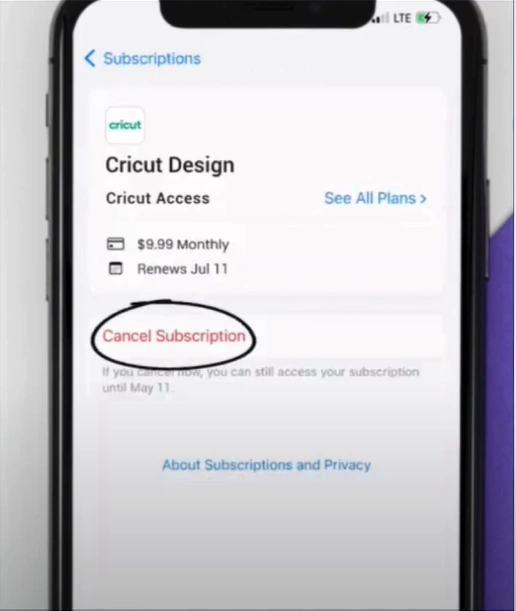
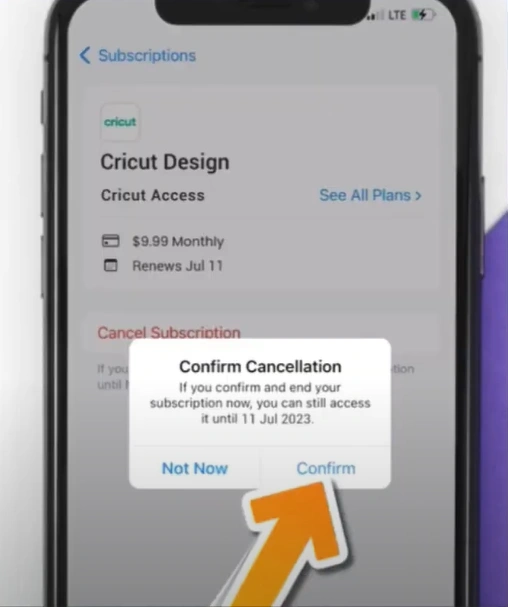
Step 4: Tap Confirm on the pop-up prompt to confirm the cancellation.
Also Read:- How to Connect the Cricut Expression to Computer?
In a Nutshell
No more facing those surprise debit messages. Simply cancel your Cricut Access plan by following the instructions we have provided. You can withdraw from both the website and an iOS device if you have logged in.
Just remember, as you terminate your subscription, you’ll no longer have access to premium images, fonts, and exclusive discounts right away. But your saved projects will still exist in the Design Space software.